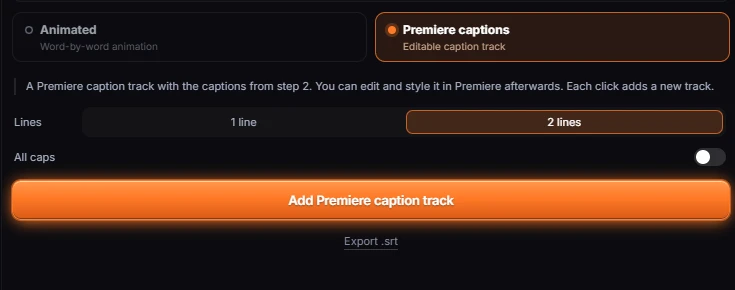
Deliver
Two languages, one sequence
- Each click adds a caption track
- Arabic .srt and English .srt
- Timing kept from the Arabic
Translate an Arabic video into English subtitles without leaving Premiere Pro. FlowCut transcribes the Arabic, translates the transcript and places the English captions on your timeline.
No card required. Just your email.
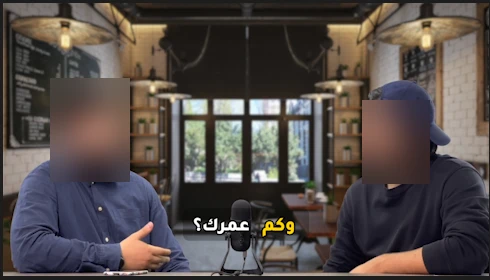
An Arabic video with English subtitles reaches two audiences at once. Brands in the Gulf post for local and international followers, creators grow outside their own country, and clients often need an English version for partners who do not speak Arabic.
The usual way is slow: transcribe somewhere, translate somewhere else, then rebuild the subtitle timing in Premiere. FlowCut does it in one panel, starting from the Arabic transcript you already have.
In each case the Arabic stays the original. The English subtitles make it understandable to everyone else without dubbing or re-recording, and the speaker keeps their own voice, tone and timing on screen.
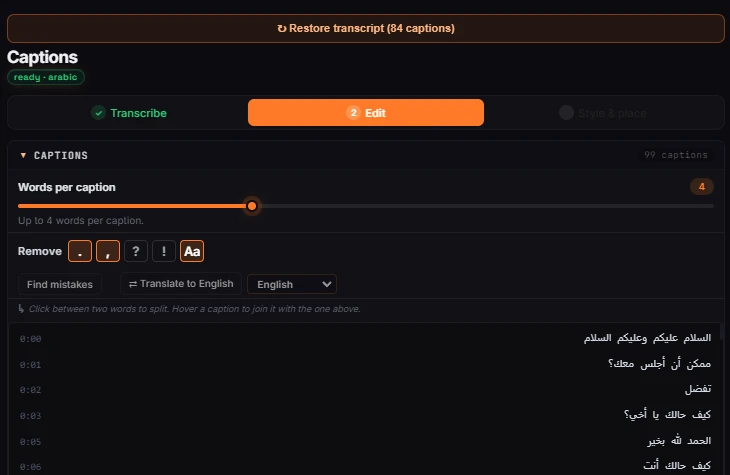
Run the Arabic transcript on your sequence in the FlowCut panel.
Names and product terms written your way carry straight into the translation.
Choose the target language. The lines keep the timing of the original speech.
Put the English captions on the timeline, or export an .srt.
Translation is the one step that uses the internet. Transcribing the Arabic happens on your own computer, as explained in Arabic speech to text offline.
English is often longer or shorter than the Arabic it comes from. Because the translation is made line by line from the timed transcript, each English line keeps the start and end of the Arabic line it translates. Use the words per segment setting to keep longer English lines readable on a phone screen.
| Delivery | How to make it |
|---|---|
| English subtitles only | Translate the transcript and place the English captions |
| Arabic captions only | Place captions from the Arabic transcript |
| Two subtitle files | Export an Arabic .srt and an English .srt from the panel |
| Separate versions per platform | Duplicate the sequence and place each language on its own copy |
Arabic captions keep their right to left layout; English captions read left to right as usual. The details of Arabic on-screen text are in Arabic captions in Premiere Pro.
English subtitles for your Arabic videos
Try FlowCut free for three days, no card. Then $39 once for everything.
Every translated line stays editable, so the English reads the way your brand speaks. Adjust a phrase, shorten a line for a phone screen or swap a word for your client's preferred term in seconds.
| Choice | Why it works |
|---|---|
| Names of people and places | Use the English spelling your client already uses everywhere else. |
| Numbers and prices | Digits read fastest on screen, especially on vertical video. |
| Dialect expressions | A natural English equivalent keeps the humour and the tone. |
| Greetings and religious phrases | Many brands keep them in transliteration for an authentic feel. |
| Brand and product terms | Keep them exactly as they appear on the product. |
Changes happen in the panel, line by line, and the timing of each caption stays exactly where it was. When the client sends notes later, open the same transcript, change the lines they flagged and place or export the subtitles again in a minute.
English subtitles on vertical video work best short: one line, a handful of words, on screen long enough to read twice. Long Arabic sentences often translate into long English ones, so split them into more captions rather than squeezing them into fewer. The words per segment setting in FlowCut does the splitting for you while keeping each piece in time with the speech.
The same step translates the transcript into other languages too, which is useful for regional campaigns that run in several markets at the same time. One Arabic interview can become English, French or Spanish subtitles, each placed on its own copy of the sequence.
Translation sits next to everything else FlowCut does in Premiere Pro: the silence cutter, animated captions, safe margins, LUTs and overlays. It is a Premiere Pro plugin with no subscription, $39 once with unlimited use. The complete list is on the FlowCut plugin page. For the full Arabic workflow, start at the Arabic transcript workflow in Premiere Pro.
Yes. Transcribe the Arabic in FlowCut, translate the transcript in the panel and place the English captions on your timeline.
Yes. Each translated line keeps the start and end of the Arabic line it comes from.
No, translating needs an internet connection. Transcribing the Arabic itself runs offline.
Yes. Export the Arabic transcript and the translated version as separate .srt files.
Yes. The transcript can be translated into other languages as well.
Try FlowCut free for three days, no card. Then $39 once for everything.
No card required. Just your email.