Shape
Short lines for phones
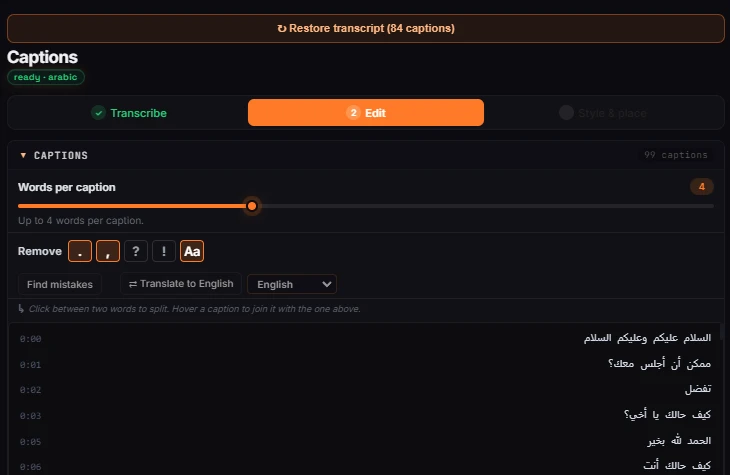
- Words per caption, Auto or fixed
- Remove punctuation in one click
- Preview before placing
Add Arabic captions in Premiere Pro straight from your audio. FlowCut writes them, lays them out right to left and places them on your timeline, static or animated.
No card required. Just your email.
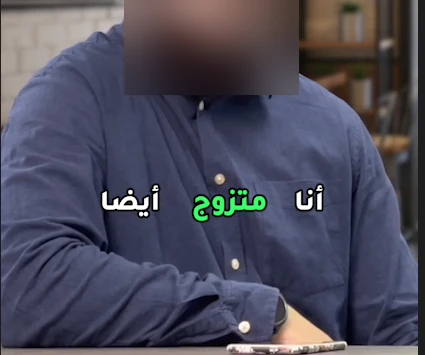
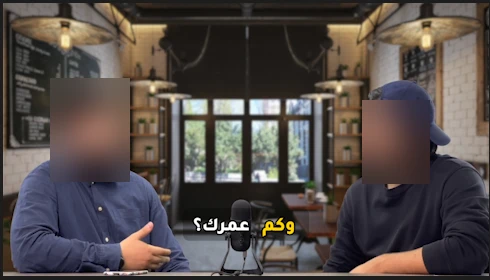
Captions in English are mostly a timing job. Arabic adds two more: the text runs right to left, and the letters join, so a font without Arabic support turns words into boxes or broken shapes. FlowCut takes care of both, so the caption looks as good as the edit around it.
On short-form video this matters more than anywhere else. Most people scroll with the sound off. The caption is the first thing they read, and it decides whether they keep watching.
Run the Arabic transcript on your sequence in the FlowCut panel.
Set the words per caption, remove punctuation in one click and adjust any word.
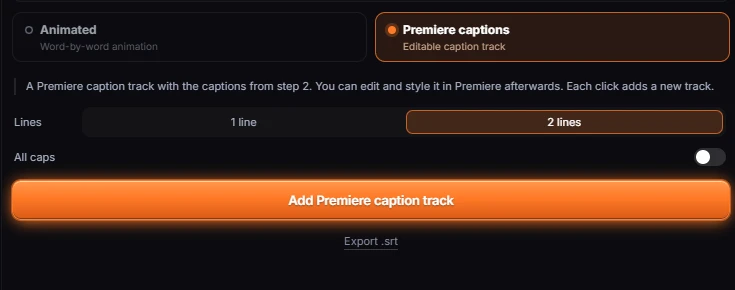
Static captions or animated captions, with a live preview before anything is placed.
FlowCut puts the captions on your timeline, timed to the speech.
| Style | Good for | How it is made |
|---|---|---|
| Static captions | Interviews, documentaries, ads, client work | Made inside Premiere, easy to adjust afterwards |
| Animated captions | Reels, TikTok and Shorts | Rendered with the words appearing in time with the speech |
| .srt subtitles | YouTube, players, client delivery | Exported from the transcript in the panel |
Animated captions are laid out right to left for Arabic, and FlowCut includes an Arabic font that steps in when your chosen font has no Arabic letters. The words keep their order and their joined shapes on screen.
On vertical video, the bottom of the frame belongs to the platform: the caption bar, the buttons, the username. Captions placed there get covered. FlowCut has safe margins for every social platform in the same panel, so you can see where TikTok, Reels and Shorts will cover your Arabic captions before you export.
The words per segment setting does the rest. Short lines of two to four words read fast on a phone and never run off the frame. Leave it on Auto and FlowCut splits where the speaker pauses or finishes a thought.
Arabic captions on your timeline today
Three days free, no card. $39 once after that, with captions, transcript and every other feature.
FlowCut puts the transcript first, so you decide exactly how the captions read: brand names in your client's spelling, punctuation on or off, the number of words per line. One change in the transcript carries into every caption made from it.
The transcript comes from a dedicated Arabic speech pack covering Modern Standard Arabic and the Gulf, Levantine and Egyptian dialects. Making the Arabic transcript in Premiere Pro is covered step by step in its own guide, and every animated look is explained in animated Arabic captions.
Arabic letters change shape depending on their neighbours, and many display fonts were drawn for Latin text first. A few choices keep Arabic captions readable at a glance:
FlowCut previews every style live before it is placed, so you can test a look on your own footage instead of guessing.
Already have an Arabic .srt from a client or a translator? Import it into FlowCut and turn it into captions on your timeline the same way. Need the captions somewhere else? Export an .srt from the panel.
Many Arabic videos need a second set of subtitles. FlowCut can translate the Arabic transcript into another language and give you captions from that version. Translate Arabic video to English subtitles shows the full flow.
Captions are one part of the edit. In FlowCut they sit next to the silence cutter, the optimised sequence generator, LUTs, overlays and viral text presets. That is why editors use it as their Premiere Pro plugin with no subscription: one payment, every feature, unlimited use. The full feature list is on the FlowCut page.
Transcribe the sequence in Arabic in the FlowCut panel, customize the lines, choose static or animated captions and place them on the timeline.
Yes. FlowCut lays Arabic captions out right to left and keeps the letters joined.
Yes. Animated captions work in Arabic, with the words appearing in time with the speech.
FlowCut includes an Arabic font that is used for Arabic words when your chosen font cannot show them.
Yes. Import an .srt in the panel and turn it into captions, or export one from your transcript.
Turn on the safe margins in FlowCut for the platform you are posting to and keep the captions inside them.
Three days free, no card. $39 once after that, with captions, transcript and every other feature.
No card required. Just your email.