Private
Nothing leaves your computer
- No upload, ever
- No minute caps
- Works on location
Arabic speech to text that runs offline, on your own computer. FlowCut transcribes Arabic inside Premiere Pro without uploading a second of your footage.
No card required. Just your email.
Most Arabic speech to text runs in the cloud. Your audio goes to a server, is processed there and the text comes back. That is fine for a public video. It is a problem for the footage editors handle every day:
Offline transcription removes the question completely. The audio is turned into text on your computer and never leaves it.
Activation needs the internet one time. After that FlowCut runs on your computer.
Downloaded once inside the panel. After that the speech to text runs offline.
On a plane, on location or in a locked-down office. The speech to text runs locally.
One feature needs a connection: translating a transcript into another language. Everything else in the Arabic workflow, from transcript to captions to .srt, works offline.
| Cloud tools | FlowCut offline | |
|---|---|---|
| Where the audio goes | Uploaded to a server | Stays on your computer |
| Internet needed | For every file | Only to switch the plugin on |
| Pricing | Usually per minute or monthly credits | $39 once, no limits |
| Long recordings | Upload time and minute caps | No upload, no caps |
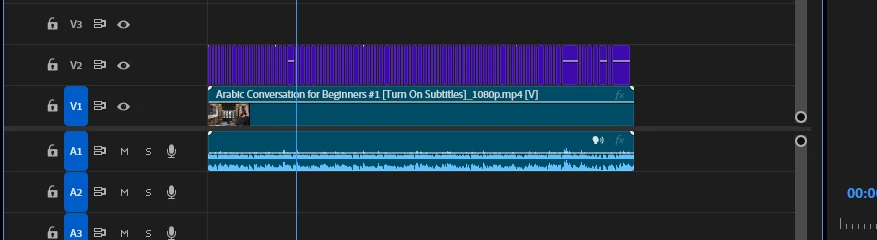
| Where the result lands | A file to download and import | Your Premiere timeline |
Because the transcription runs on your machine, there is nothing to meter. A ten-minute reel and a three-hour podcast cost the same: nothing beyond the one payment for the plugin. That is the point of a Premiere Pro plugin with no subscription: you own the tool and use it as much as your projects need.
Agencies and freelancers handle campaigns before launch. A leaked ad or product reveal costs the client far more than the edit.
Journalists and documentary teams record sources who spoke on the condition that the raw interview stays with the team.
Companies make internal training, town halls and investor videos in Arabic that were never meant to leave the building.
Podcasters keep unreleased episodes off third-party servers until the day they publish.
For all of them, the question is not only speed. It is whether the recording can be uploaded at all. With offline Arabic speech to text, it never has to be.
Keep your Arabic footage on your computer
Try FlowCut free for three days. Then $39 once, offline, unlimited.
Because the Arabic pack runs on your computer, transcription speed depends on your computer rather than on a queue on someone else's server. A long recording runs straight through without waiting for an upload to finish.
Offline also helps when there is simply no good connection, and that happens more often than it should. Editors cut on set, in hotels, on flights and at events where the venue Wi-Fi cannot carry a large upload. With the Arabic pack on the laptop, the first cut can have captions before anyone is back at the office.
One key covers two computers, so the same setup can live on the edit desktop and on the laptop that travels. When you change machines, deactivate the old one in the panel and the spot is free again.
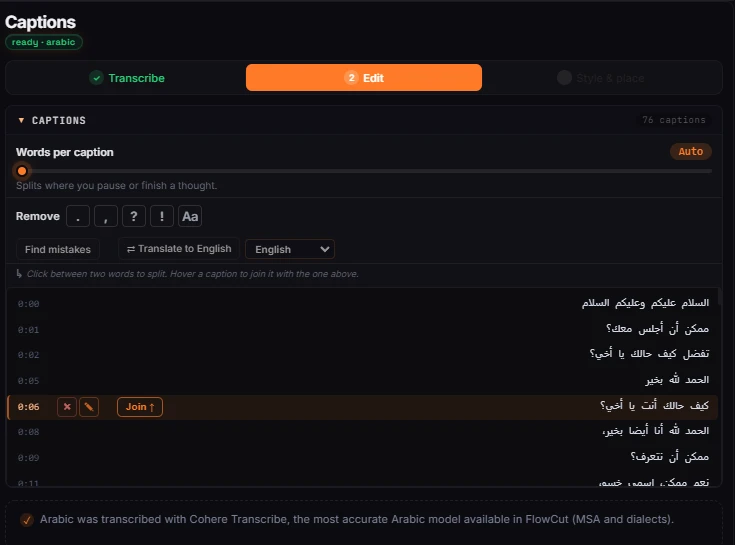
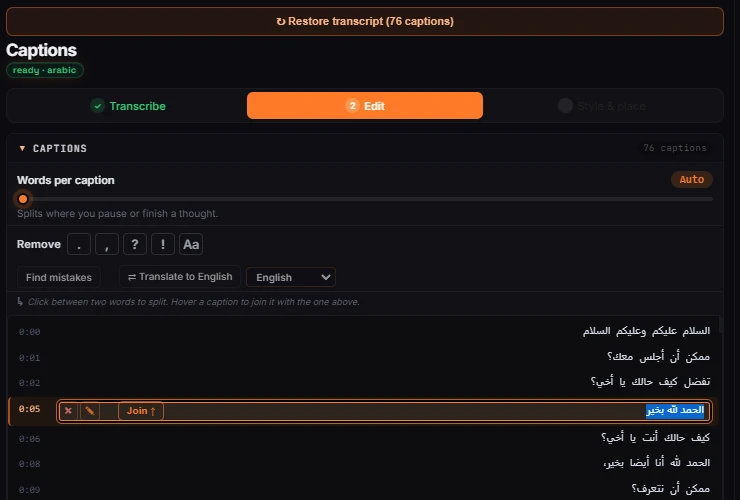
Every step of the Arabic workflow runs without a connection: transcribing, editing the text, setting the words per caption, placing animated or Premiere captions and exporting the .srt. Your projects, transcripts and captions stay on your computer the whole time.
The first transcription on a new computer can take a little longer while everything gets ready. After that it is part of the normal edit.
Offline does not mean fewer features. The Arabic transcript is editable, timed word by word, and ready for captions on your timeline or an .srt export. Arabic audio to text covers interviews and podcasts, and Arabic dialect transcription covers Egyptian, Gulf and Levantine speech, all of it offline.
See the whole plugin on the FlowCut page, or start from the how the Arabic transcript in Premiere Pro works.
Only once, to switch the plugin on. Arabic transcription itself runs on your computer without a connection.
No. The speech is turned into text locally and the audio never leaves your computer.
Translating a transcript into another language. Transcribing, editing, captions and .srt export work offline.
Only the Arabic pack, once, inside the FlowCut panel. After that everything runs offline.
Yes. Your key covers two computers, so the edit desktop and the travel laptop both work offline.
Try FlowCut free for three days. Then $39 once, offline, unlimited.
No card required. Just your email.